Quality Reports
Quality Reports give you a full overview of all quality controls carried out during orders, batches, or shifts. Use it to review controls, inspect deviations, check thresholds and operator comments, and sign off orders – supporting both internal reviews and external audits.
Having all quality data collected in one structured view removes the need to manually piece together information from multiple sources, making the review process faster and more reliable.
Overview
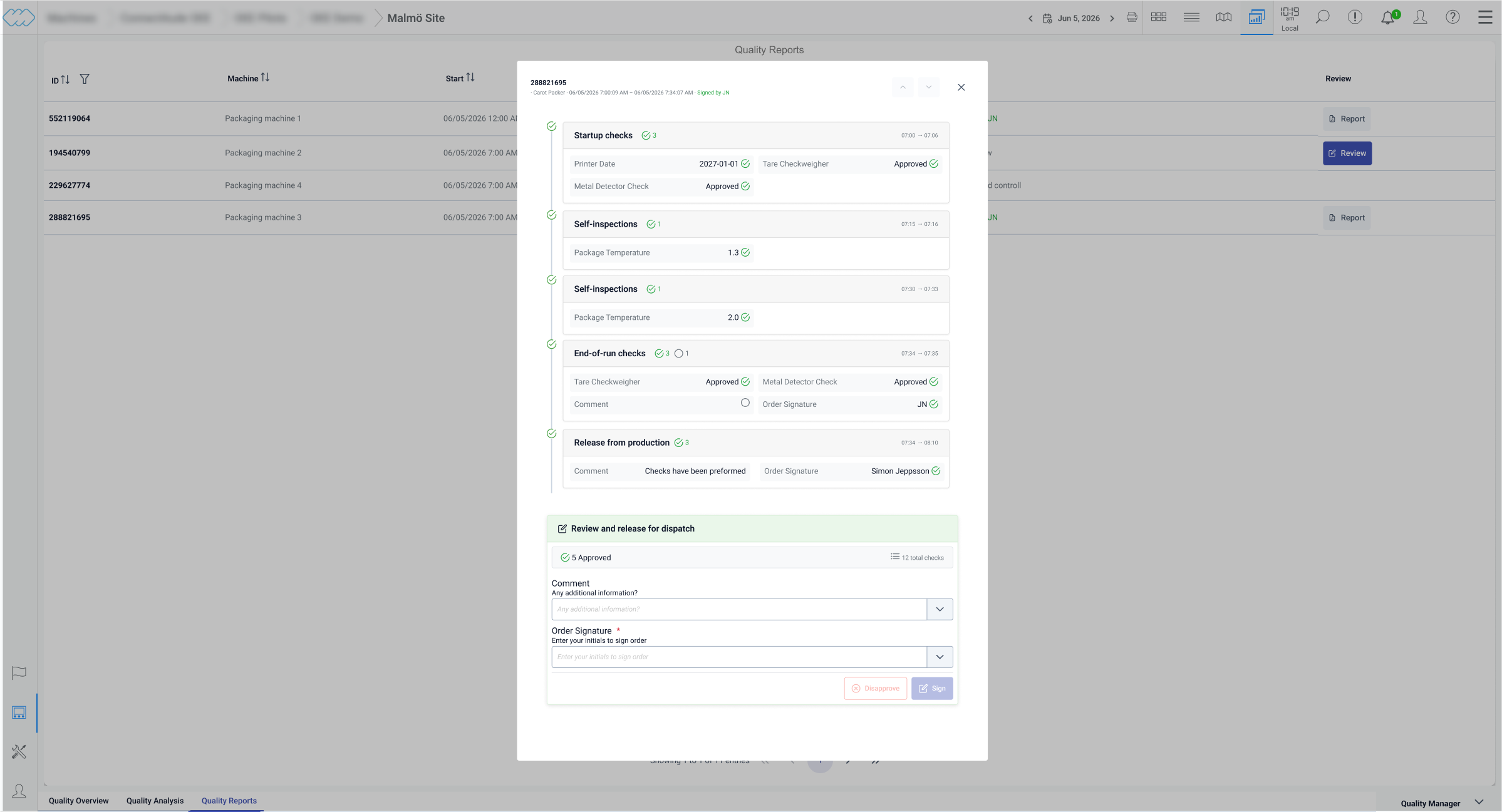
The Quality Reports tab displays all orders and batches for the period selected in the time picker. For each order you can see which machine it was produced on, the start and finish time, and whether any controls require attention. Orders with deviations or unsigned controls are clearly indicated, so you can prioritize what needs to be reviewed without going through every order manually.
Click an order to open a detailed view of all controls carried out during that order.
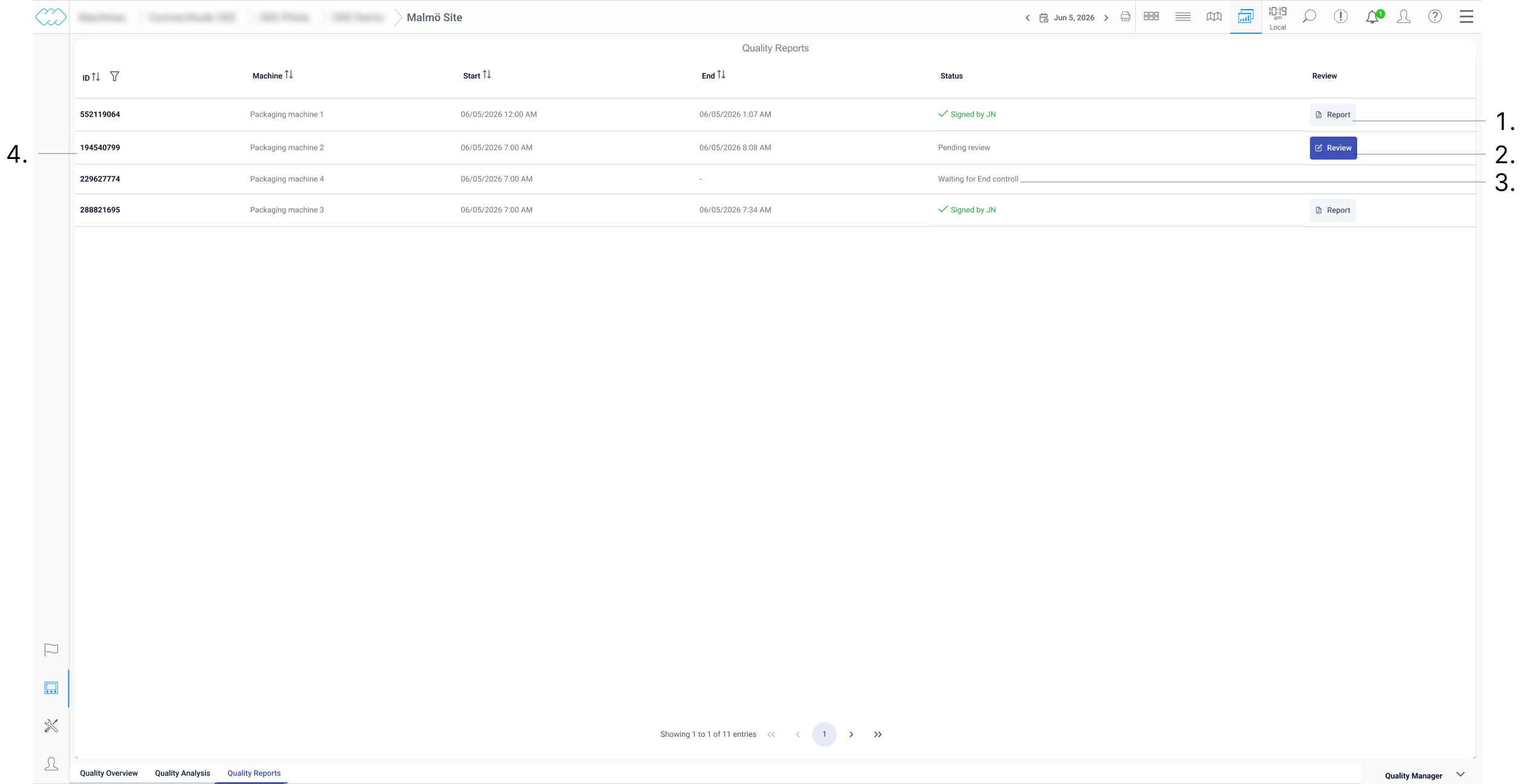
- Report has been generated and is ready to be viewed
- Order is ready for review
- Order is ongoing and is waiting to be finished before it is ready for review
- Order information
Order overview
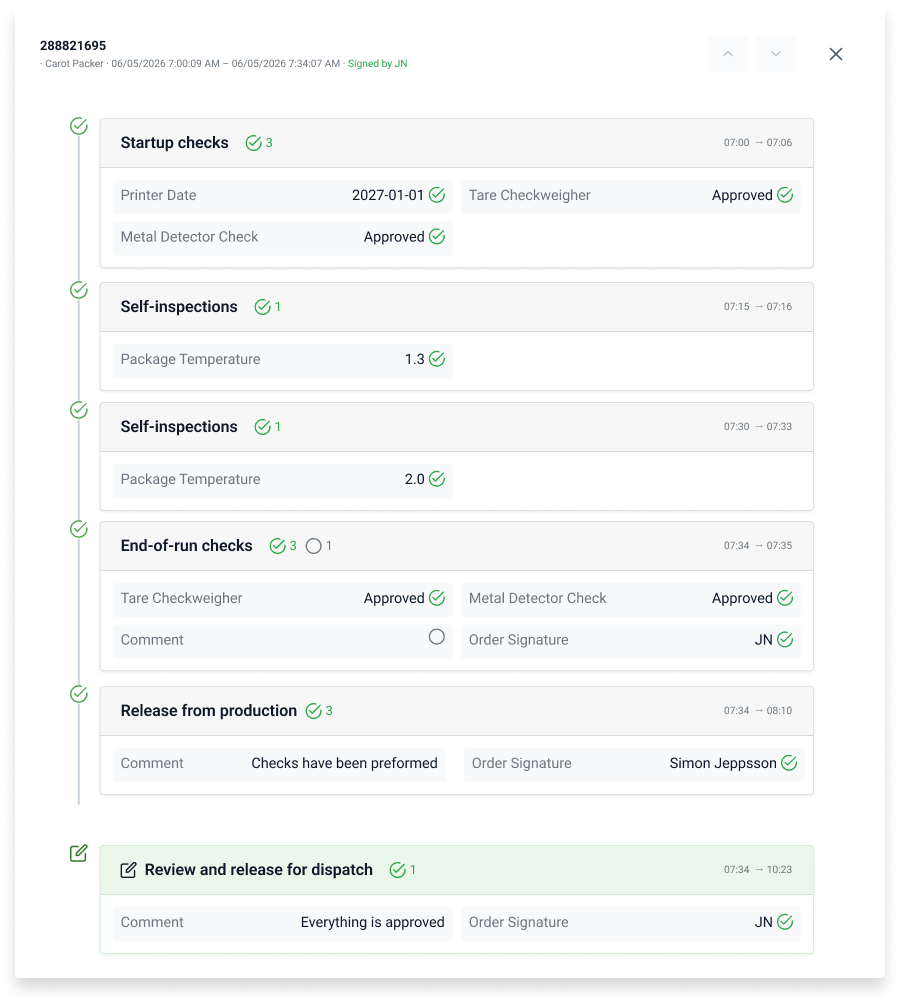
The order view presents a timeline of all quality controls carried out during the order or shift. Each control is positioned at the time it was carried out, giving you a clear picture of how quality developed throughout the production run. Use the arrows at the top to jump between deviations, so you can quickly navigate to the controls that need attention without scrolling through the full timeline.
If an operator left a comment connected to a control, a comment icon is shown next to it. Click the icon to read the comment in full. This is particularly useful during audits or investigations where operator observations are relevant to understanding a deviation.
Click any control with a value or multi-option type to see the thresholds or options the operator was presented with at the time of the check. For numeric controls, the registered value is shown alongside the configured limits, including warning thresholds and the absolute low and high limits. This makes it easy to assess the severity of a deviation and whether it fell within a warning range or exceeded a hard limit.
 Not accepted
 Accepted
 Pending/Not completed
 Check has additional comments
 Deviation detected
Signing order
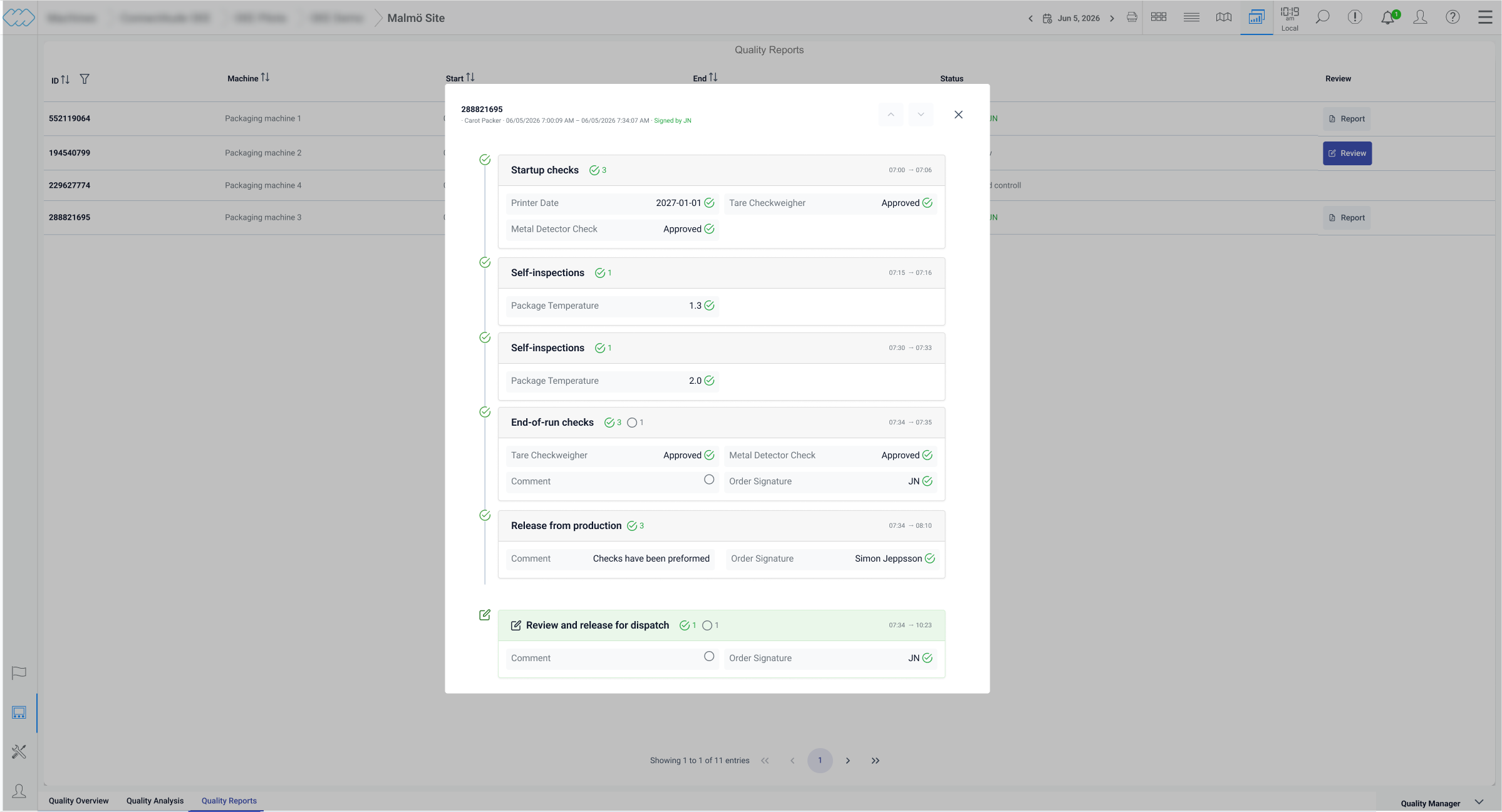
If signing is enabled, a Review button is available in the order view. Click it to
open a summary of all controls carried out during the order, where you can verify the
results before signing off. The signature is recorded with the name of the signee and
a timestamp, creating a traceable and auditable record that confirms the order has been
reviewed and approved by a responsible party.
Once signed, a report is generated and saved in the system. The report captures all
controls, values, deviations, and comments in a structured format. Reports can be
exported as a PDF with a timestamp, making them suitable for documentation, internal
quality processes, and external compliance requirements such as audits or certifications.