Production Plan
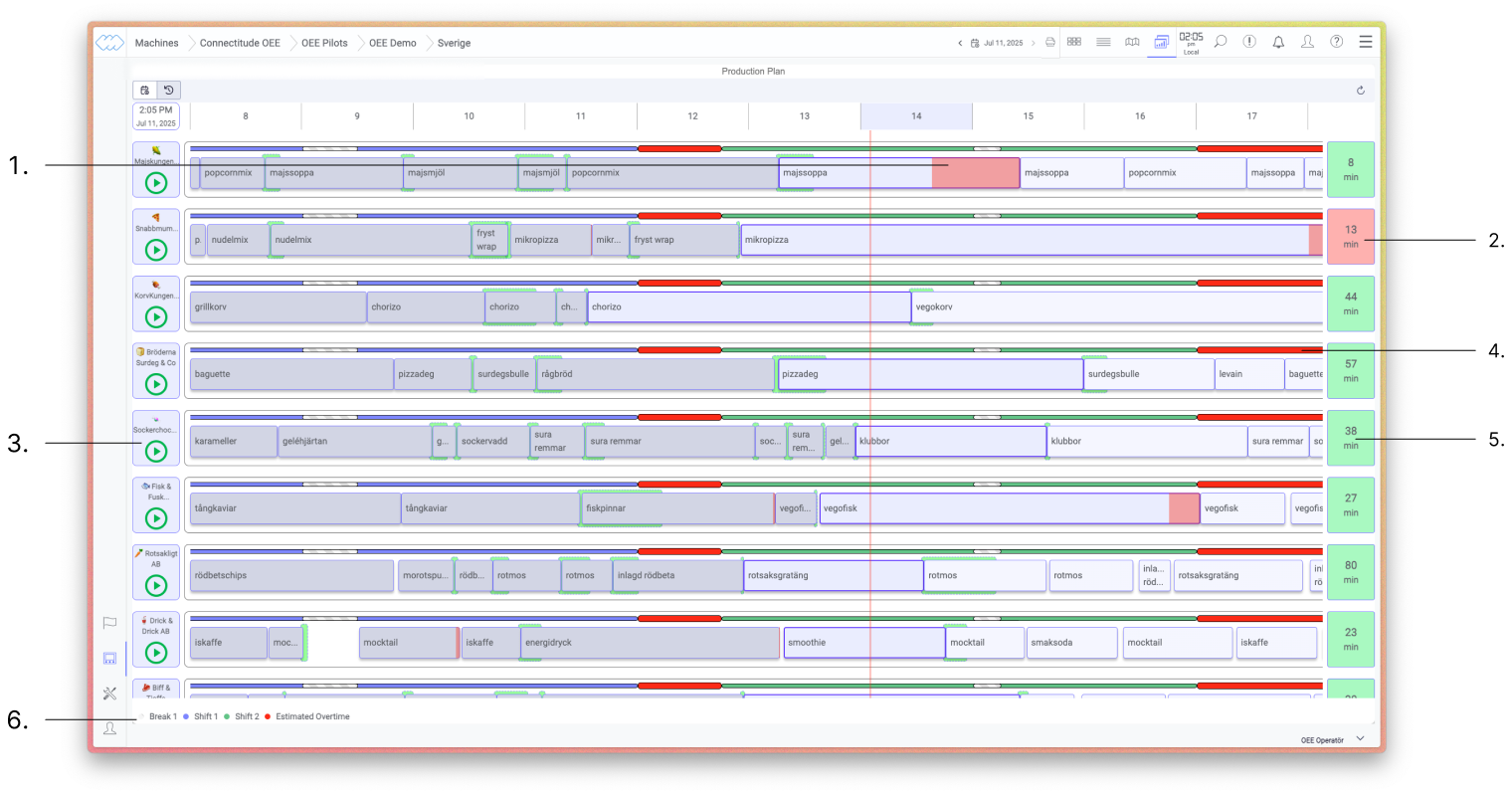
The Production Plan provides a real-time overview of orders across all machines in the line – historical, ongoing, and upcoming – and how they relate to the plan.
Each row represents a machine. The blocks along the timeline show planned and actual runs. Since historical and ongoing orders affect when upcoming orders are expected to start and finish, the plan updates continuously as production progresses.
Detailed information about orders, shifts, and deviations is displayed directly in the view without having to switch views.
Machine Status
The icon to the left of each row(3) shows the current status of the machine in real time:
Play– the machine is active and runningStop– the machine is stopped
Order Status
The color coding on orders gives a direct indication of whether anything deviates from plan:
- A red order means the order is delayed against the planned end time. The delay is calculated based on takt, scrap, and the number of units in the order.(1)
- If a green field appears behind an order, it started earlier than planned.
Since orders on the same line are dependent on each other, a delay on one order also affects the upcoming orders on the machine.
Delay per Machine
The cards to the right of the timeline (2/5) show the estimated delay against plan in minutes, per machine.
Red card– the machine is behind planGreen card– the machine is ahead of plan
The cards update in real time and provide a quick overview of the overall status of the day without having to inspect individual orders.
Shifts
The colored fields along the timeline above the orders (4) represent the active shift. Shift definitions and color coding are shown in the legend at the bottom of the view (6).