Quality notifications
Quality notifications let you get notified based on the status of your quality controls. By focusing on Critical Control Points (CCPs) and Control Points (CPs), you get contextual alerts directly from your production – so deviations reach the right people the moment they happen, without anyone having to check manually.
Open your profile menu
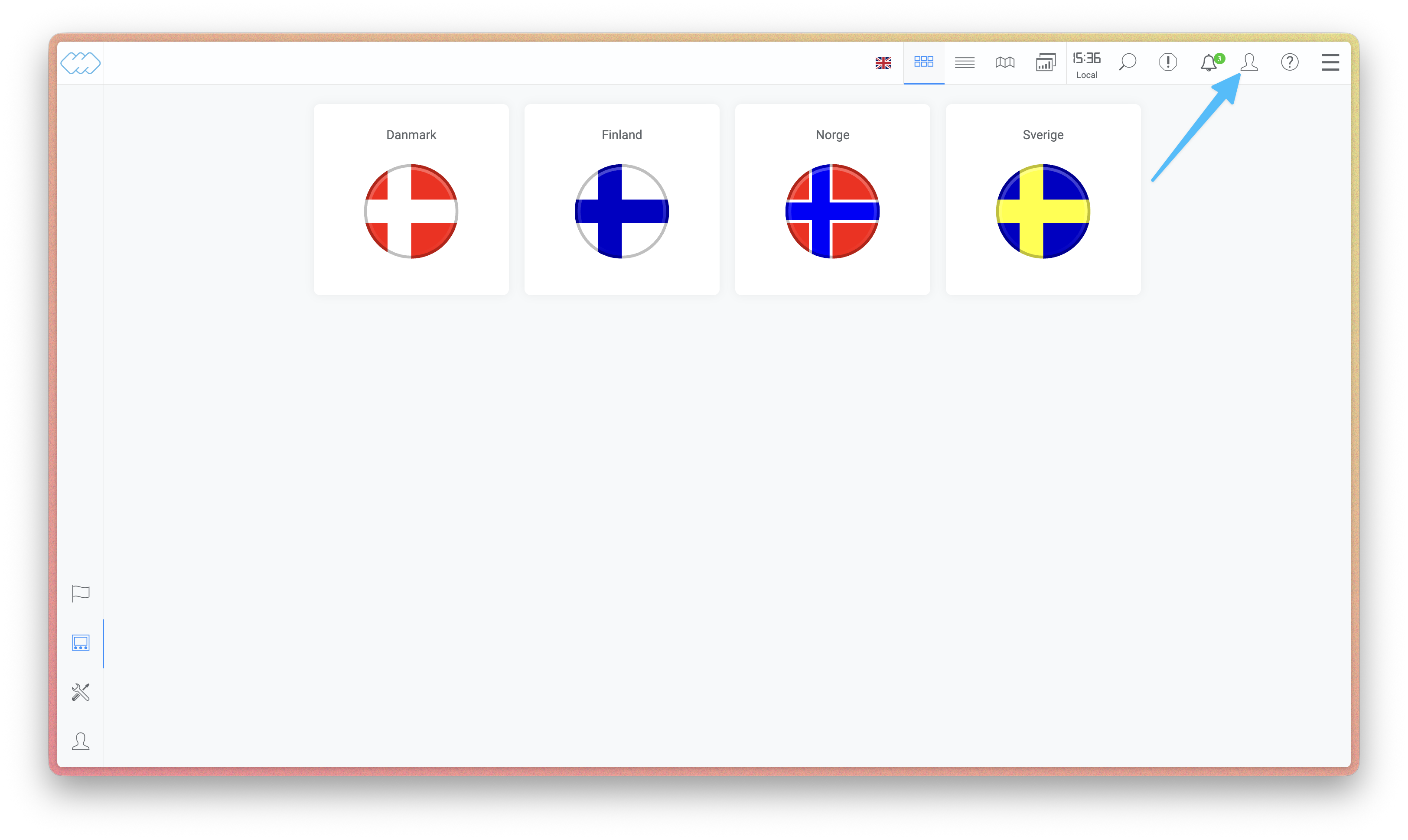 Click the user icon in the top right corner.
Open your settings
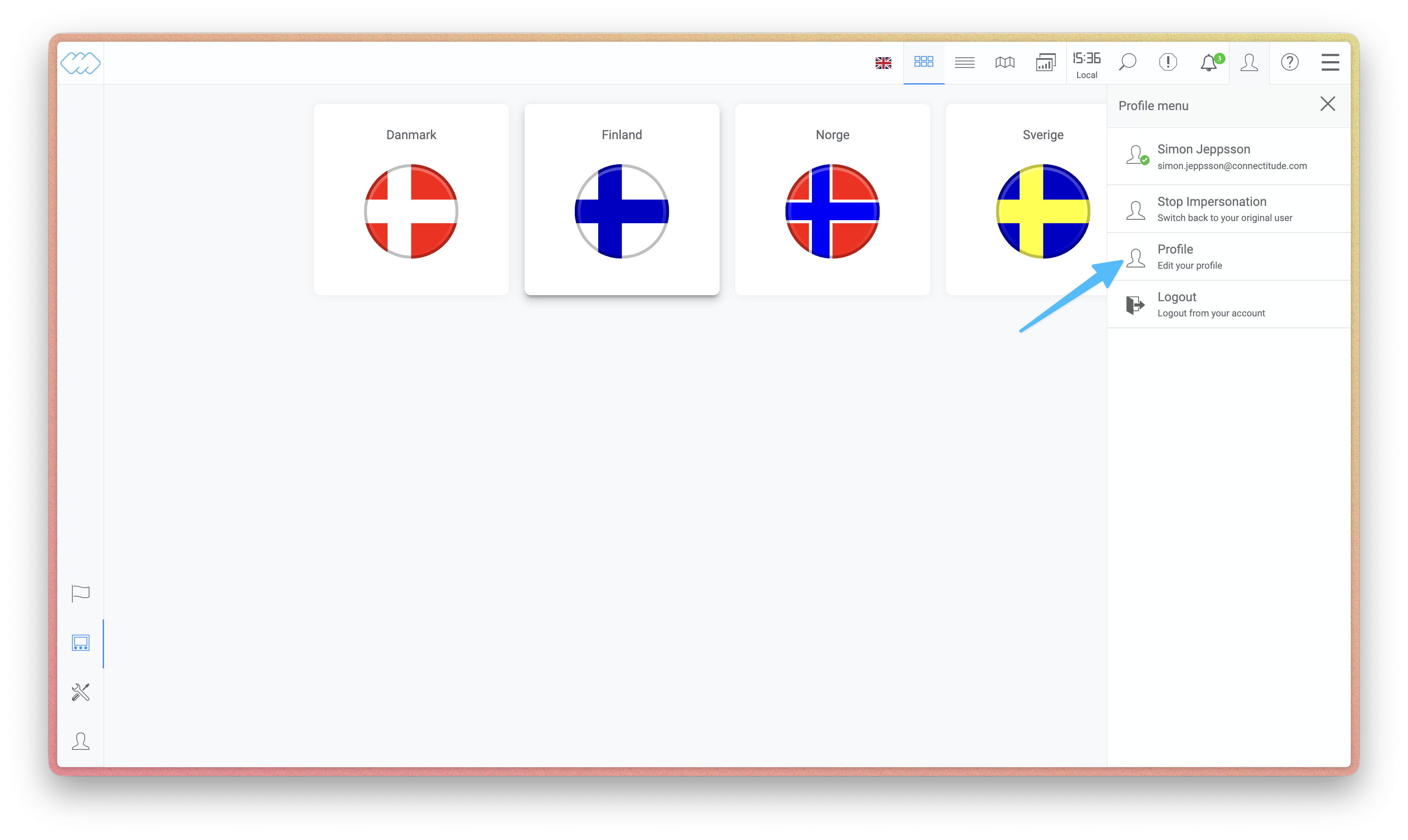 Select Profile from the menu to edit your settings.
Go to notification settings
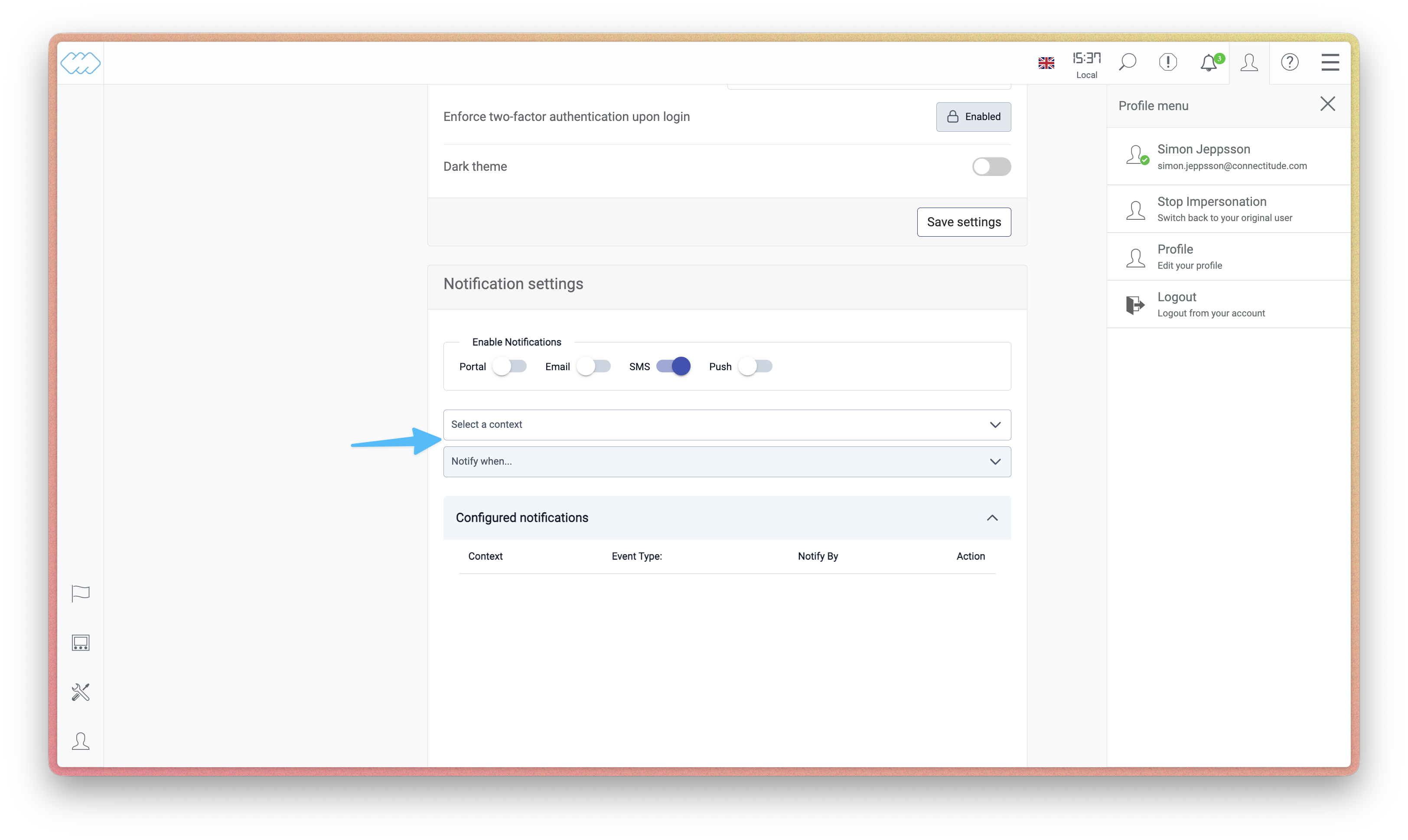 Scroll down to the Notification settings section, where you choose which channels
(Portal, Email, SMS, Push) to receive notifications on.
Scroll down to the Notification settings section, where you choose which channels
(Portal, Email, SMS, Push) to receive notifications on.
Choose a context
Pick the machine or group you want notifications for. Choosing a group gives you an aggregated view across multiple machines, while a specific machine narrows it down to just that one.
Choose what to be notified about
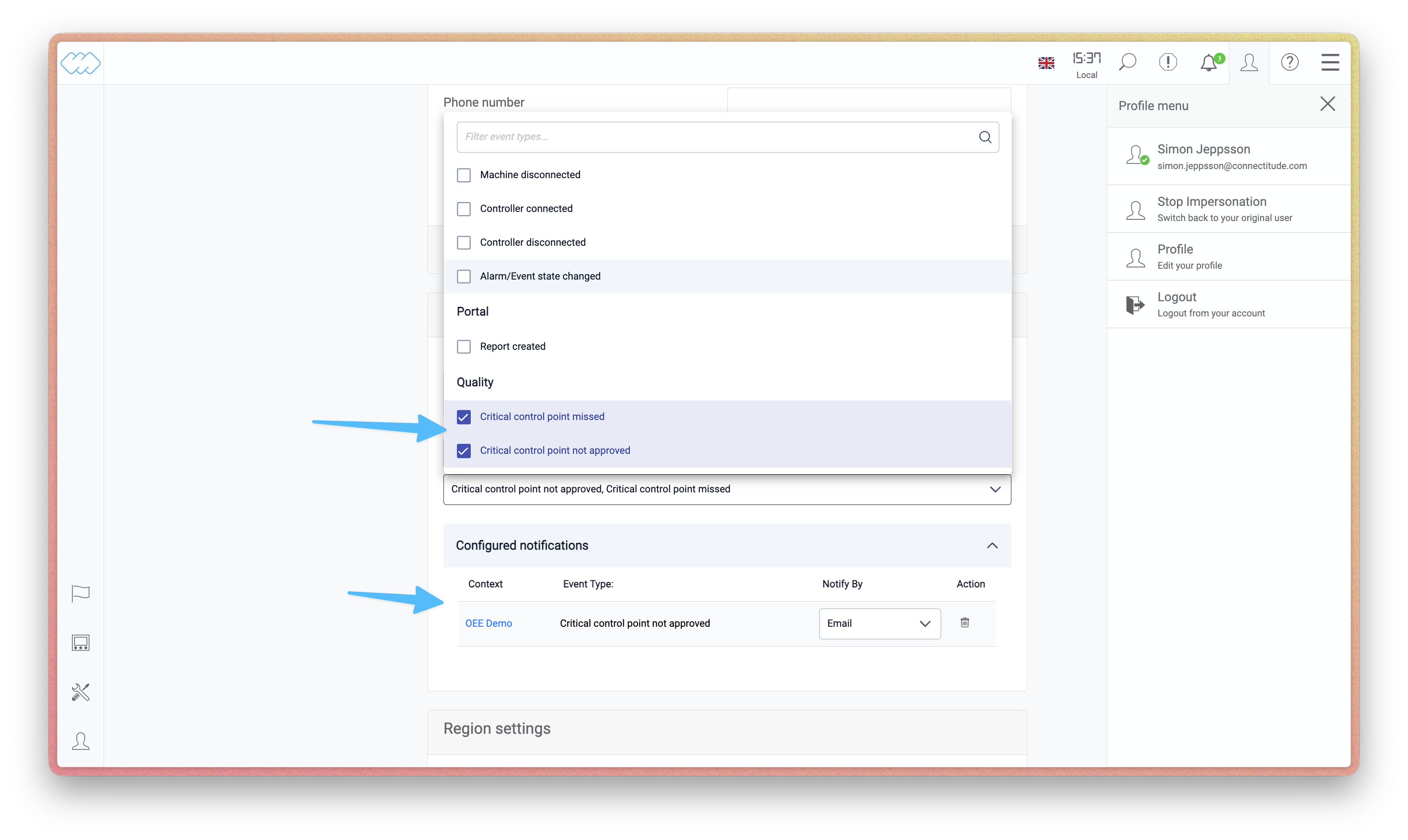 Under Notify when, pick the Quality event types you care about, such as Critical
control point missed or Critical control point not approved. Once configured, your
notification appears in the list below with its context, event type, and delivery
channel.
Under Notify when, pick the Quality event types you care about, such as Critical
control point missed or Critical control point not approved. Once configured, your
notification appears in the list below with its context, event type, and delivery
channel.