Critical control points
Tagging a control point as a Critical Control Point (CCP) makes sure it gets treated with the right level of importance. Once marked as a CCP, this is clearly communicated to the operator and shown when signing off orders – and you can tailor notifications specifically around CCPs, so a missed or unapproved critical control reaches the right people right away.
Go to Control Points
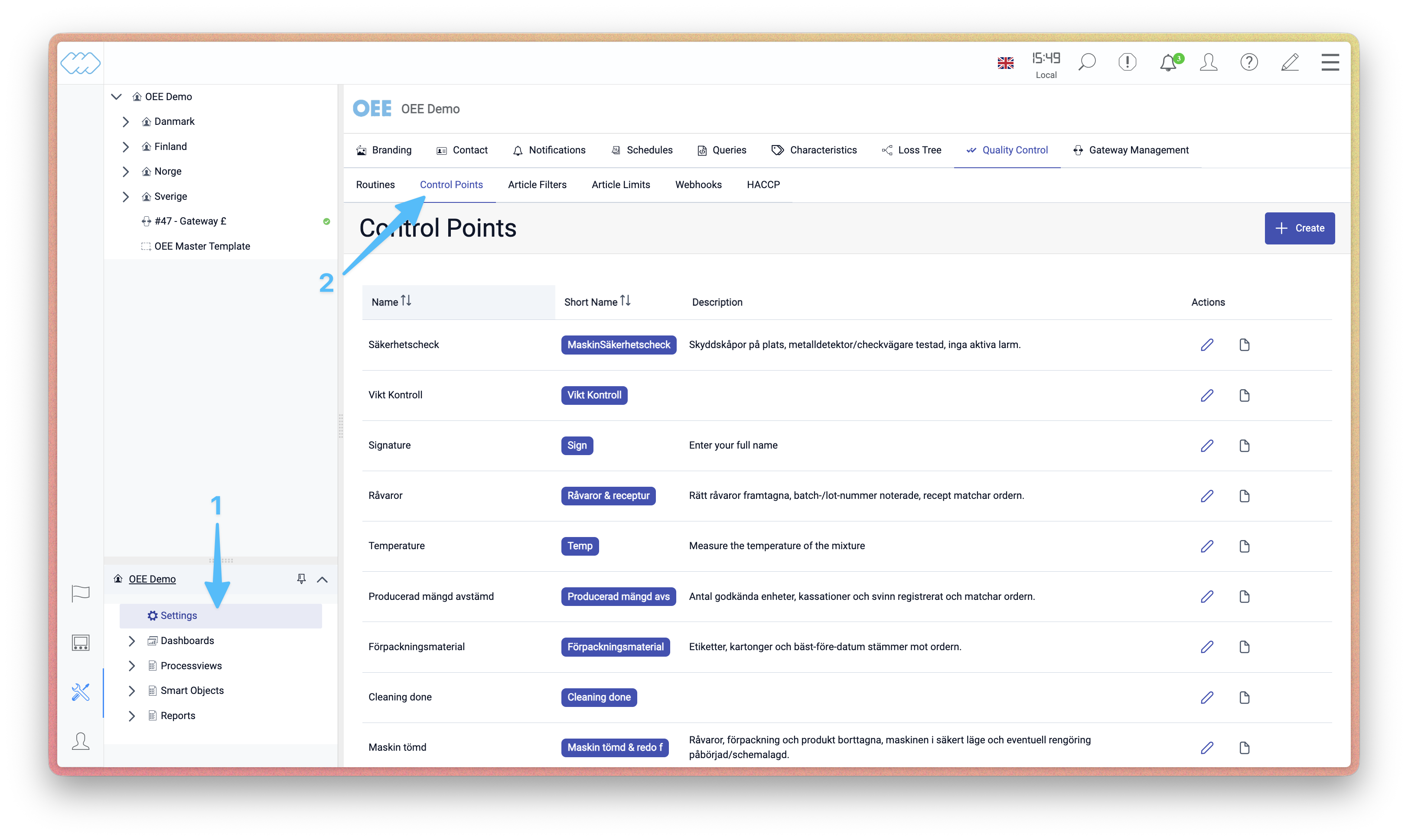 Open Settings, then select the Control Points tab under Quality Control.
Edit a control point
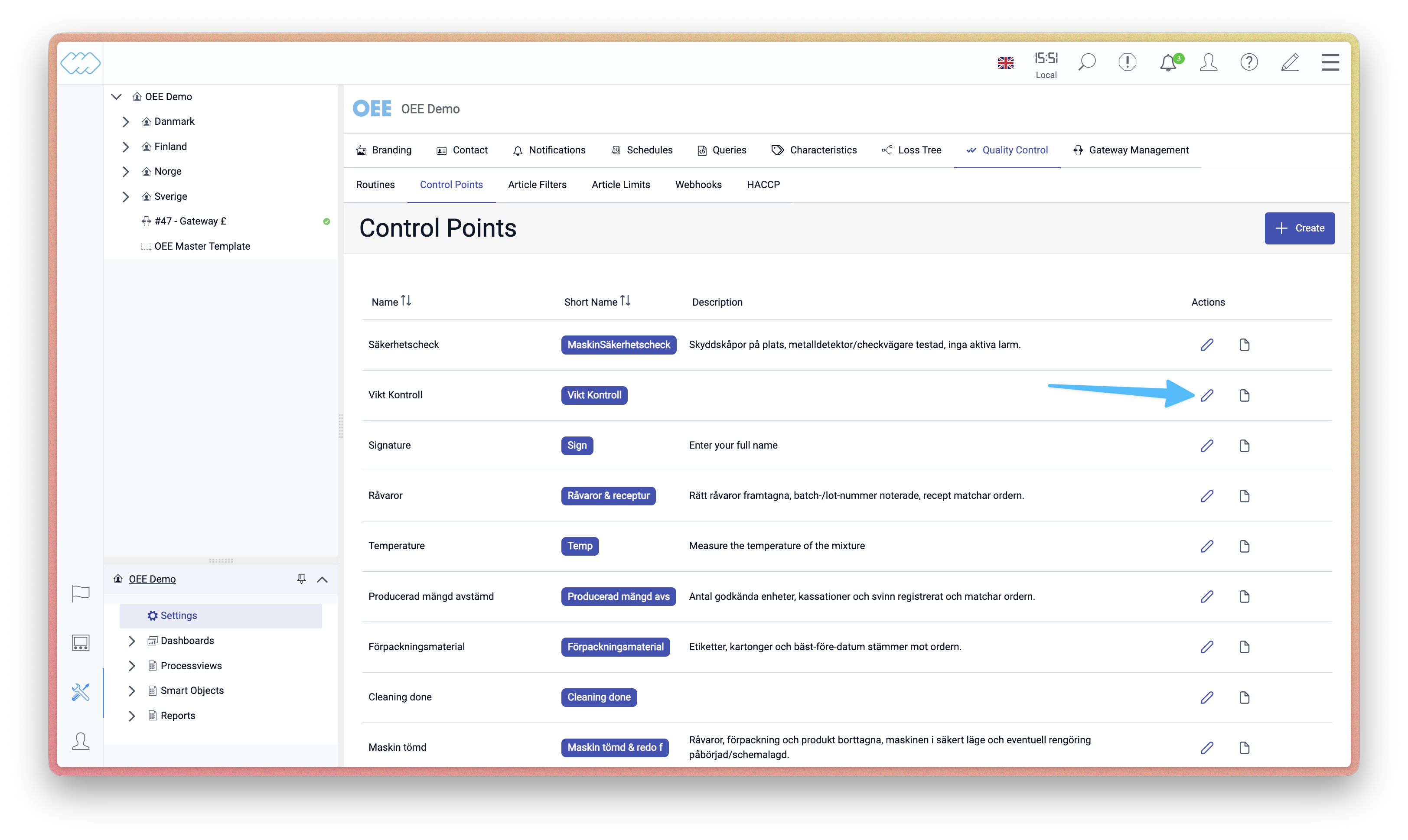 Click the edit icon next to the control point you want to configure.
Open the control point type
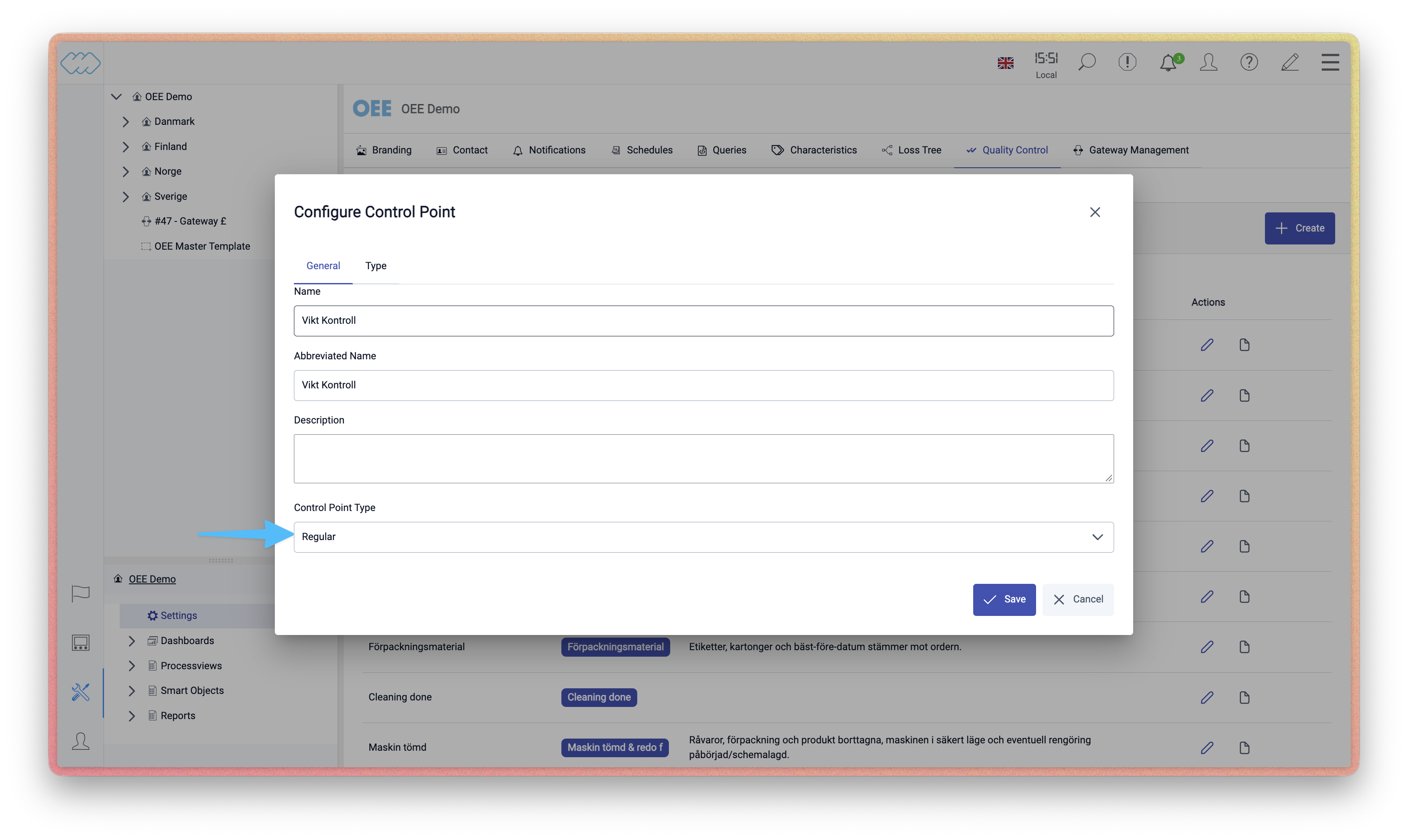 In the Configure Control Point dialogue, click the Control Point Type field.
Choose CCP
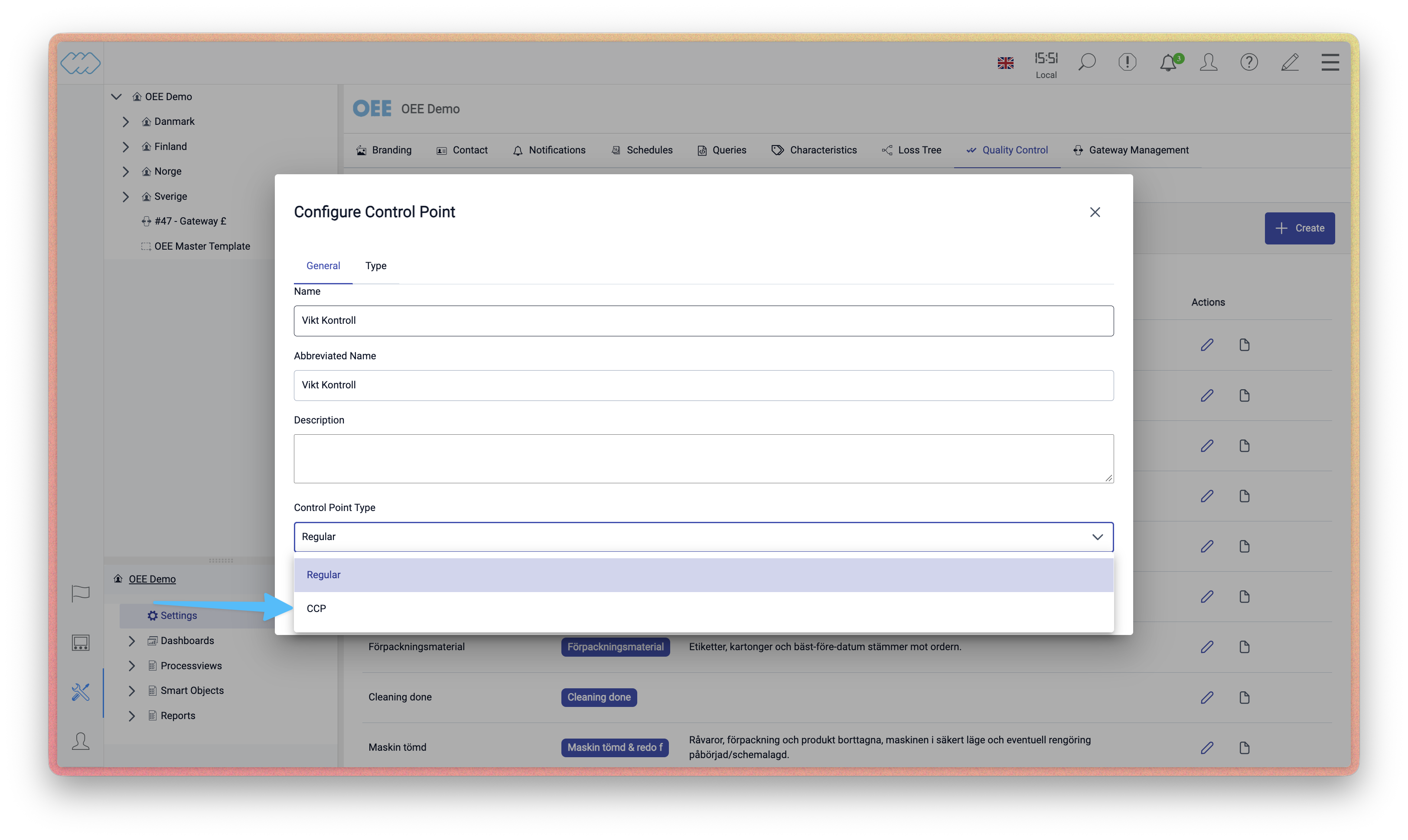 Select CCP from the dropdown and save. The control point is now marked as a Critical
Control Point.
Select CCP from the dropdown and save. The control point is now marked as a Critical
Control Point.
Send the configuration to the gateway
For the change to take effect on the machine, the updated configuration needs to be sent to the gateway.